> For the complete documentation index, see [llms.txt](https://docs.wafra.sa/llms.txt). Markdown versions of documentation pages are available by appending `.md` to page URLs; this page is available as [Markdown](https://docs.wafra.sa/accounting/anglo-saxon-accounting.md).
# Anglo- Saxon Accounting
### Anglo- Saxon Accounting
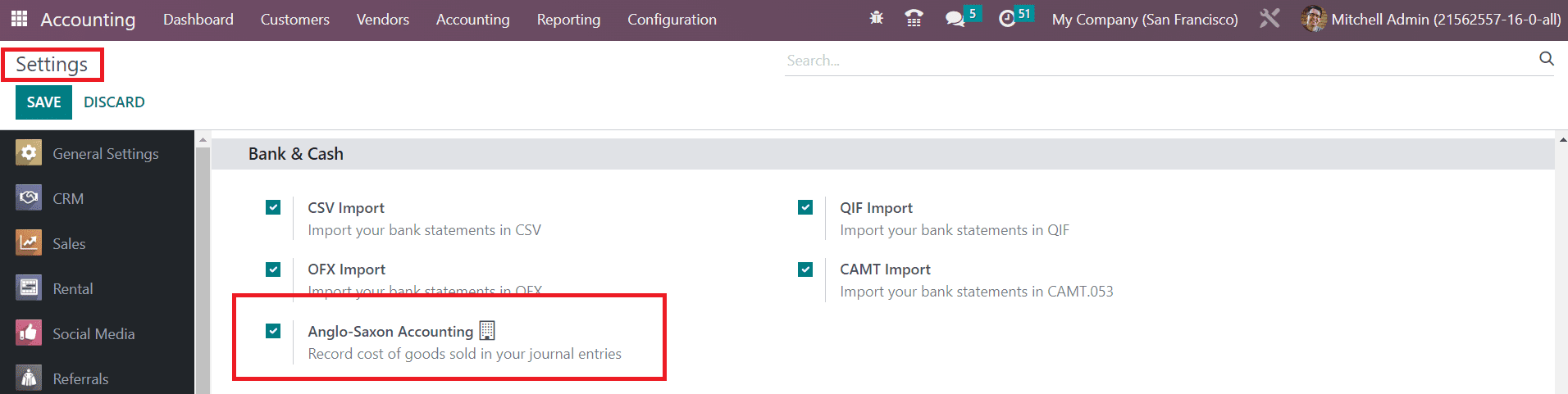
Anglo-saxon accounting and continental accounting are the two major types of accounting practices used widely across the world. The Anglo Saxon accounting method is preferred by small communities and it is available in the enterprise edition of Odoo. You can activate this feature from the **Settings** menu of the Accounting module after enabling the developer mode as shown in the image below.
Many countries use this accounting type for managing their accounting operations. In anglo- saxon accounting, the costs of sold products are reported only after they are sold/delivered to the respective customer. But, the costs of the products will be taken into account as soon as they are received in stock of the company in Continental accounting.
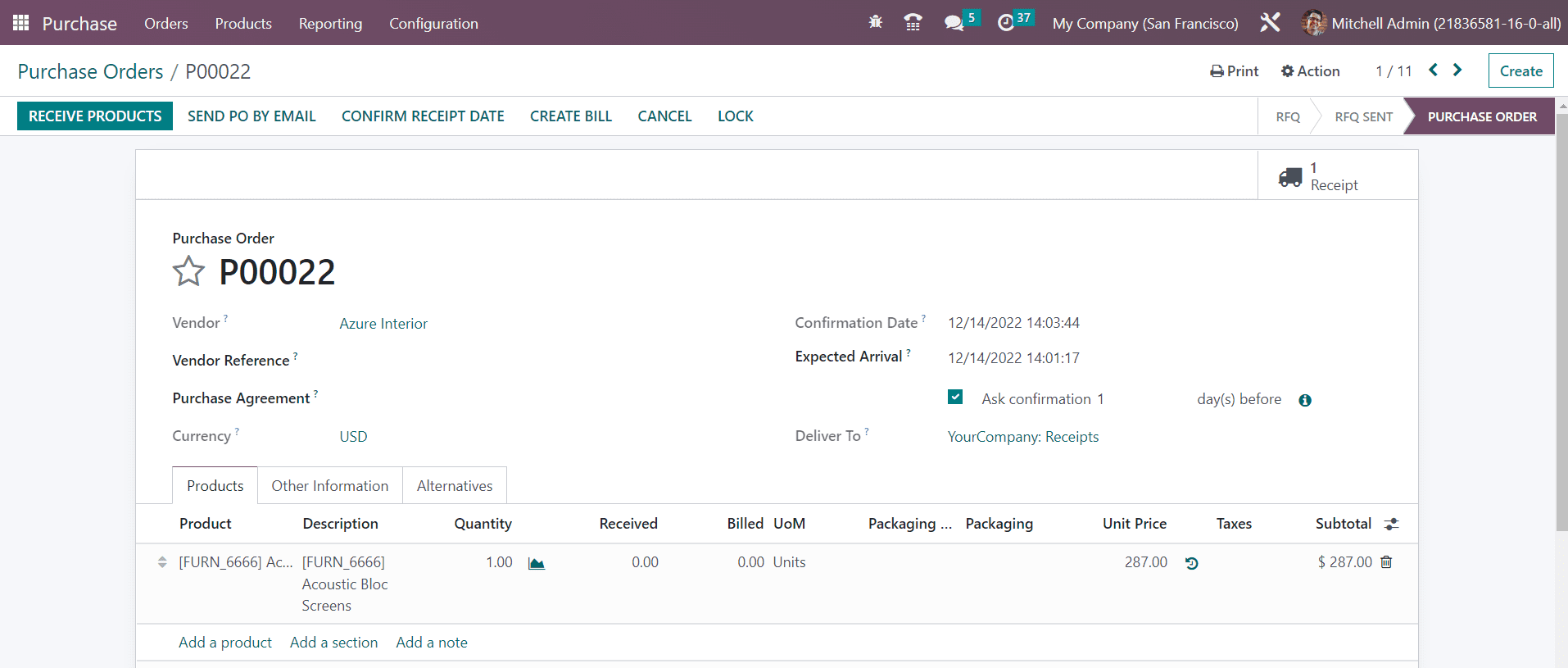
The expense account will not be affected even if you receive a product or create a bill in Anglo- Saxon accounting. It will be affected only after the product is invoiced to the final customer. Create a purchase order for a product (set the inventory valuation of the product as Automated to automatically record the accounting entries).
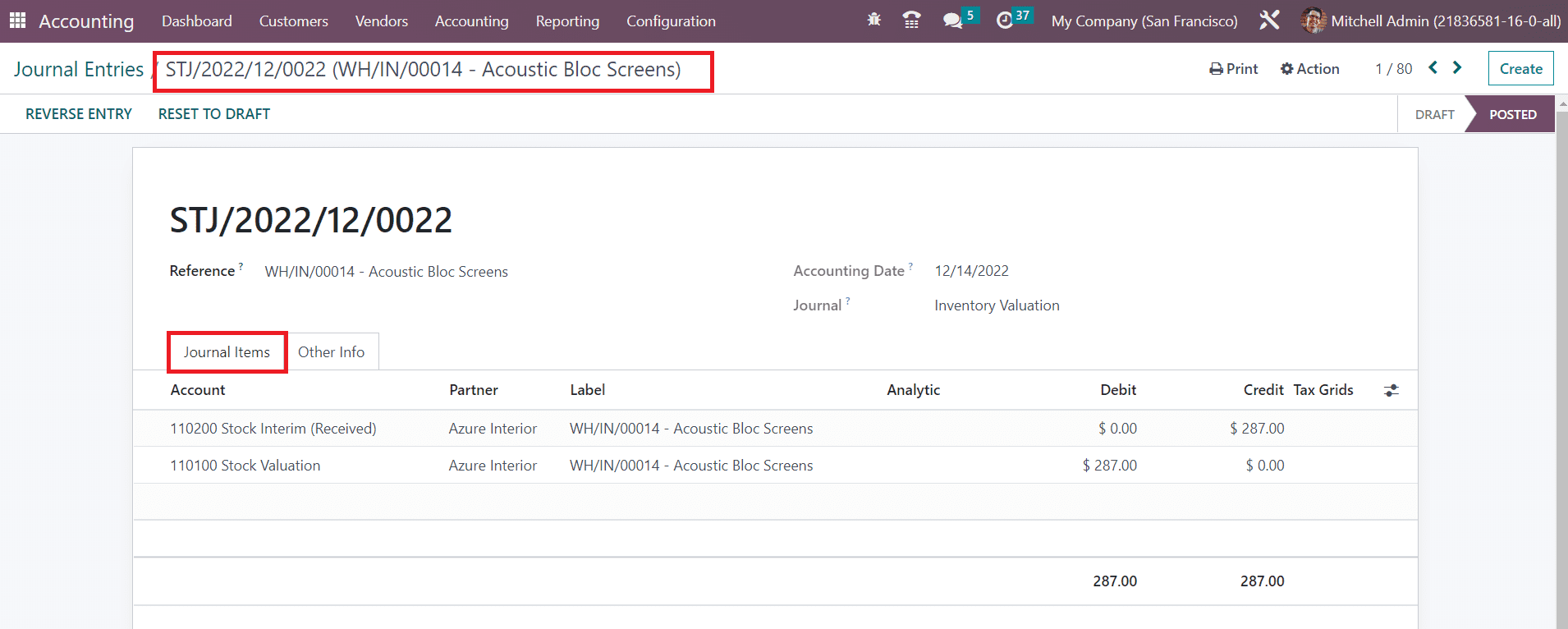
After creating the purchase order, you can receive the product and validate the transfer. Now, go back to the Accounting module and check the Journal Entries where you can find the journal items of the corresponding entry.
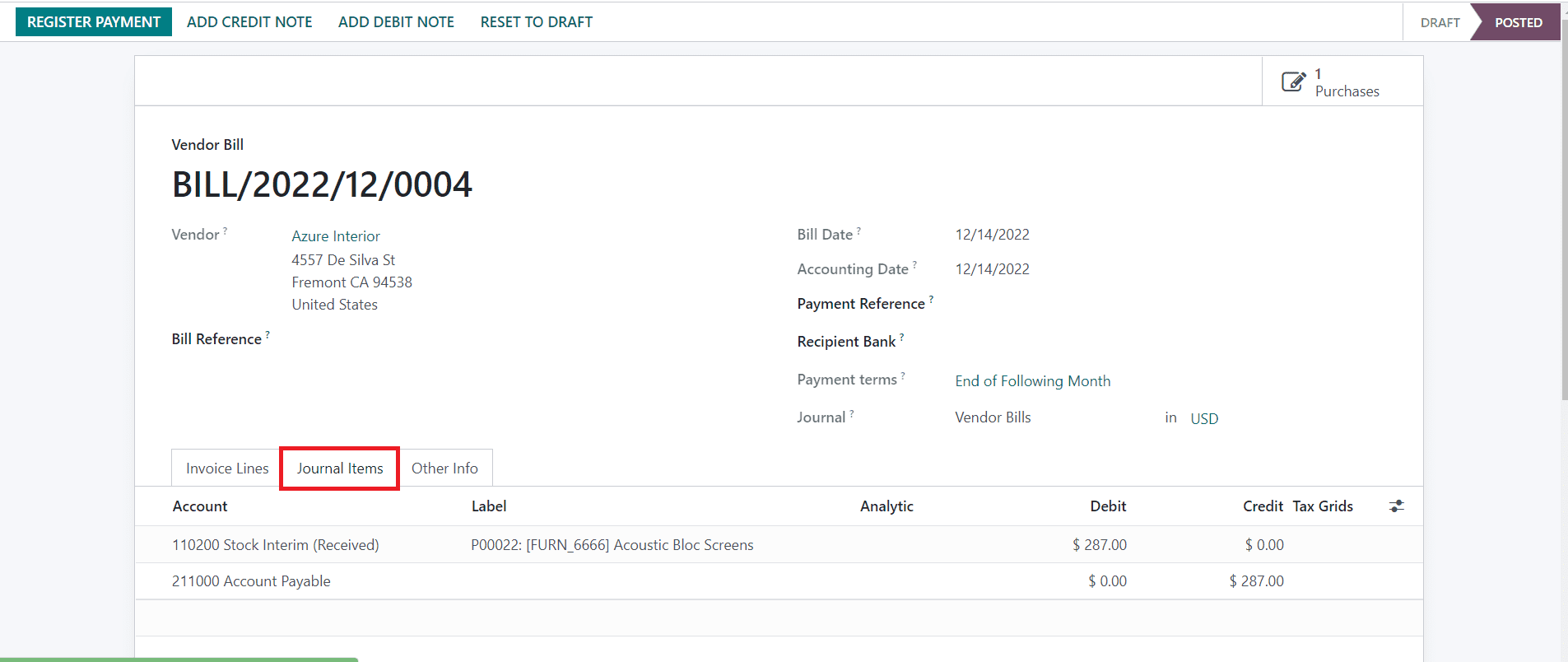
You can create a bill for the purchase and confirm it. As soon as you confirm the bill, the journal items of the vendor bill will appear as shown below.
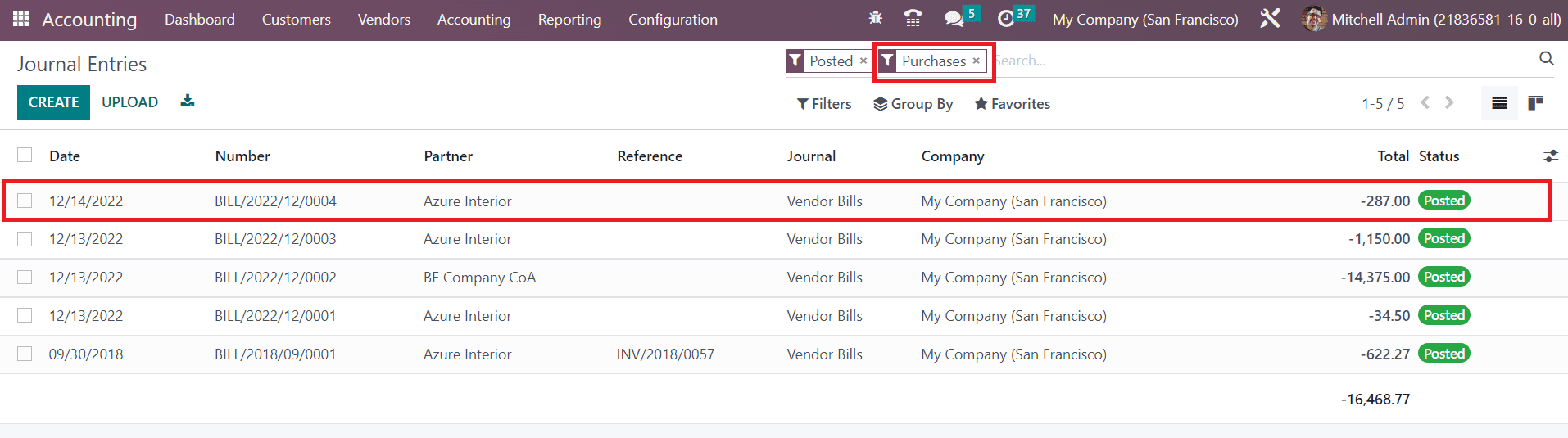
The expense account is not affected here. When you check the Purchase Journal Entry, you can see the data related to it as shown below.
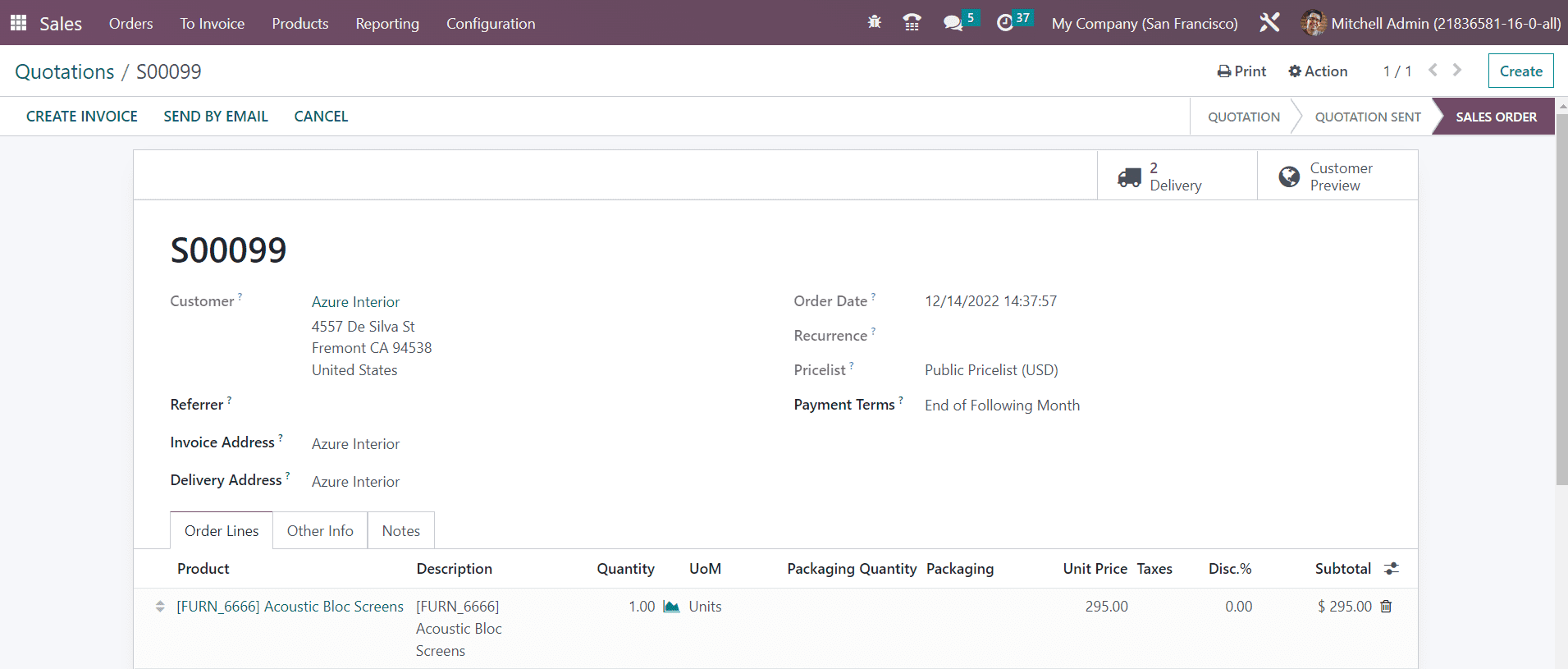
Let’s check how the expense account is affected in Anglo- Saxon accounting. You can create a sales order for a product and confirm it.
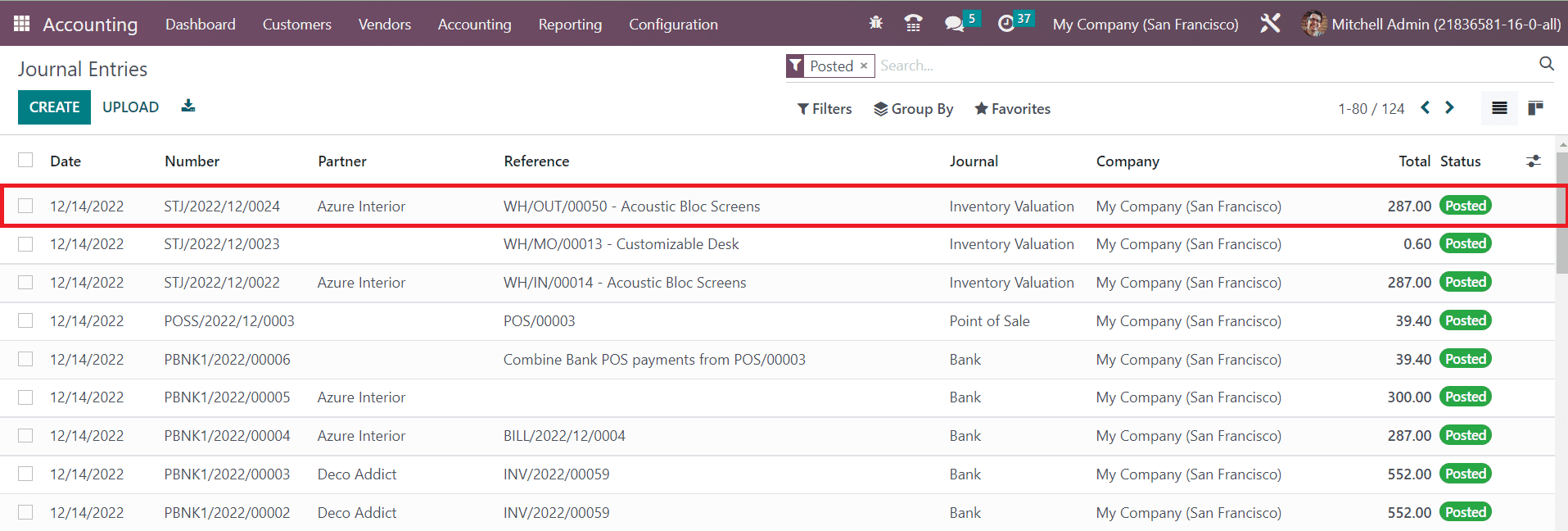
After confirming the sales order you can Validate the delivery. From the Accounting module, you can observe the corresponding sales journal entry.
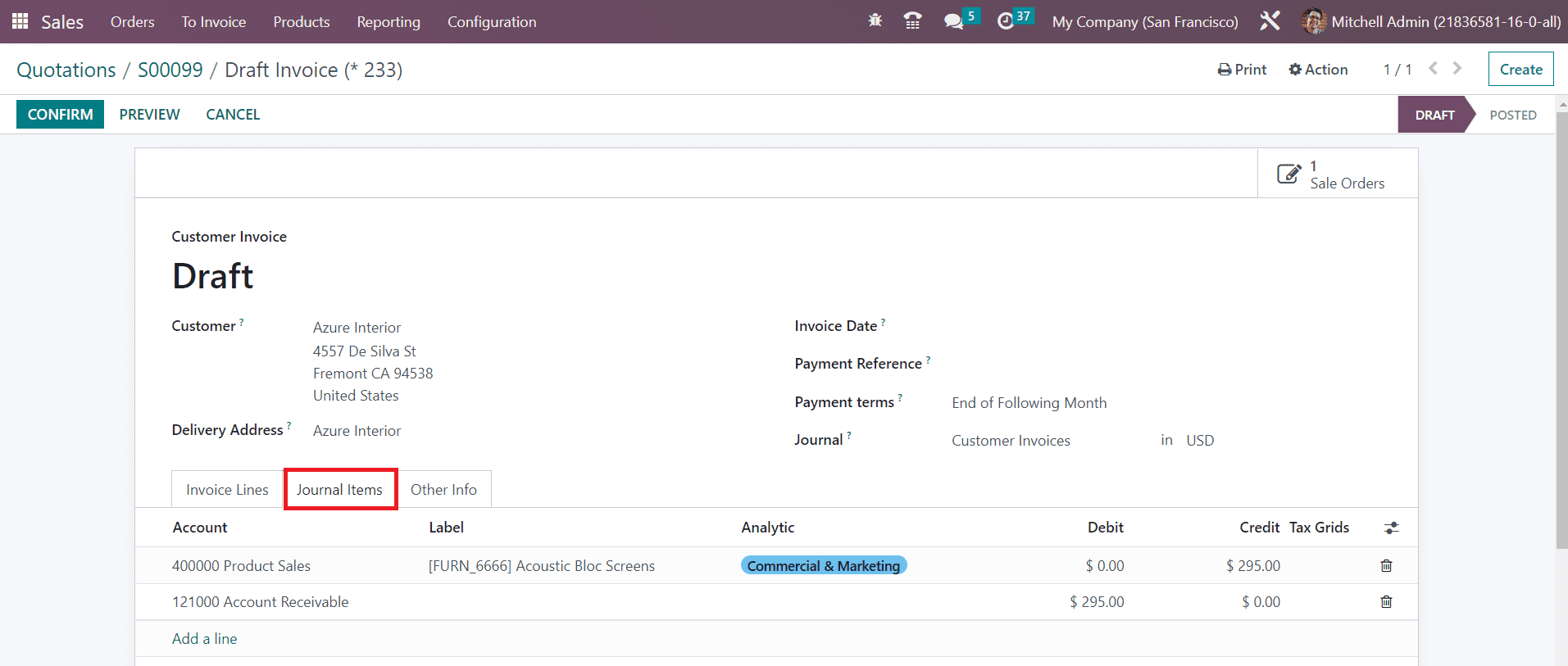
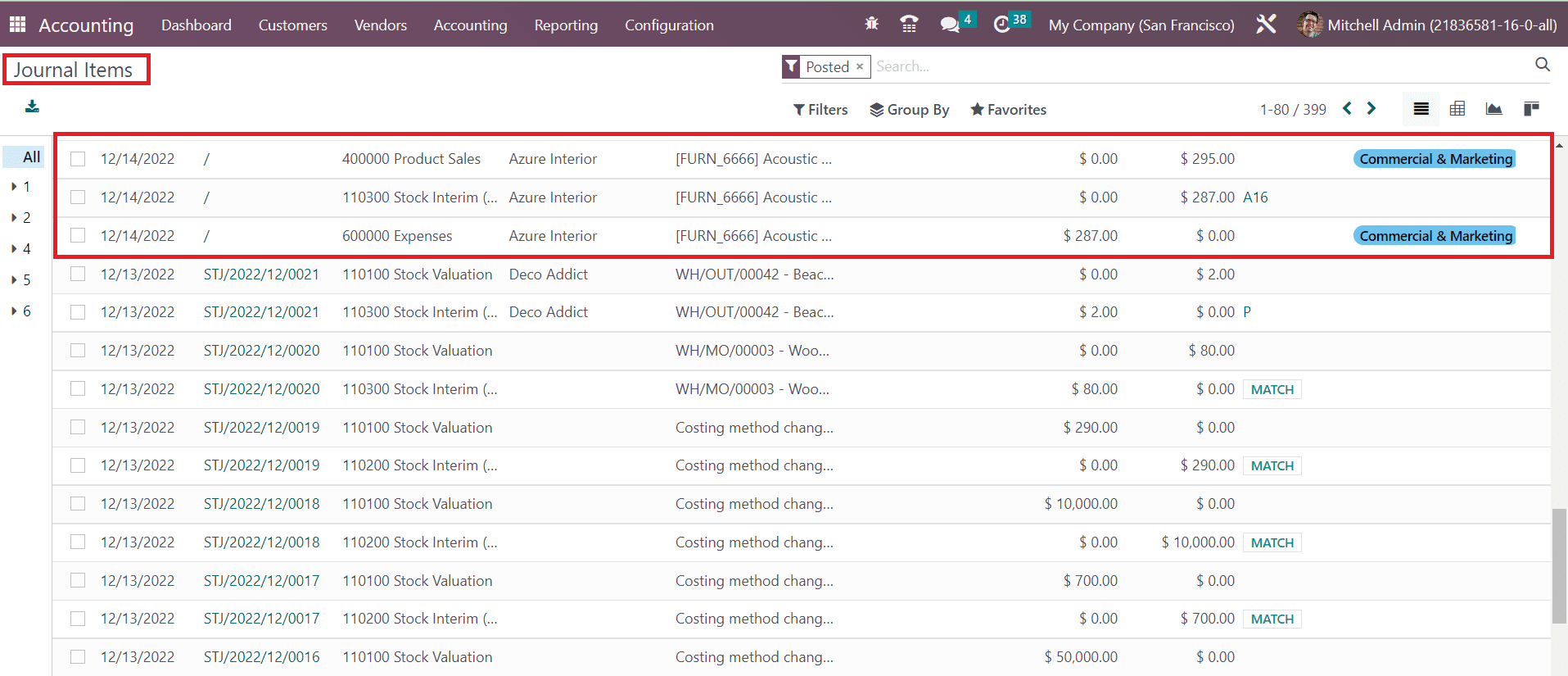
Now, you can create an invoice for the sales order and confirm it. The corresponding journal items will be shown as depicted in the image below.
While checking the corresponding journal items, you can observe that along with the income account, the expense account is also affected.
After selling the product and generating invoice, the cost of product is recorded as expense in the Anglo- Saxon accounting.
---
# Agent Instructions
This documentation is published with GitBook. GitBook is the documentation platform designed so that both humans and AI agents can read, navigate, and reason over technical content effectively. Learn more at gitbook.com.
## Querying This Documentation
If you need additional information that is not directly available in this page, you can query the documentation dynamically by asking a question.
Perform an HTTP GET request on the current page URL with the `ask` query parameter, and the optional `goal` query parameter:
```
GET https://docs.wafra.sa/accounting/anglo-saxon-accounting.md?ask=&goal=
```
`ask` is the immediate question: it should be specific, self-contained, and written in natural language.
`goal` is optional and describes the broader end goal you are ultimately trying to accomplish on behalf of the user. GitBook uses it to tailor the answer towards what is most useful for that goal.
The response will contain a direct answer to the question and relevant excerpts and sources from the documentation.
Use this mechanism when the answer is not explicitly present in the current page, you need clarification or additional context, or you want to retrieve related documentation sections.